 Offline

Your sound assistant
Talking Ring - your sound assistant
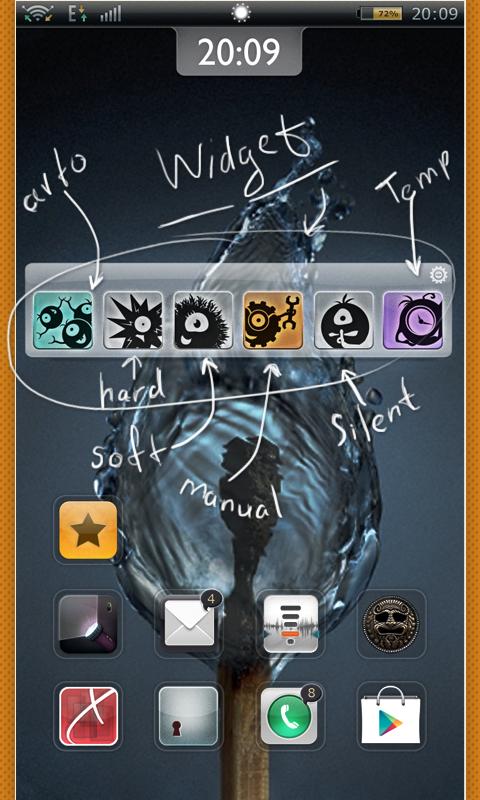
This program is a widget that lets you in the right place and the right time to quickly select the appropriate sound profile. Talking Ring - is a convenient manager of the audio events in the phone.
Features of the app:
- Easy Manage sound profiles;
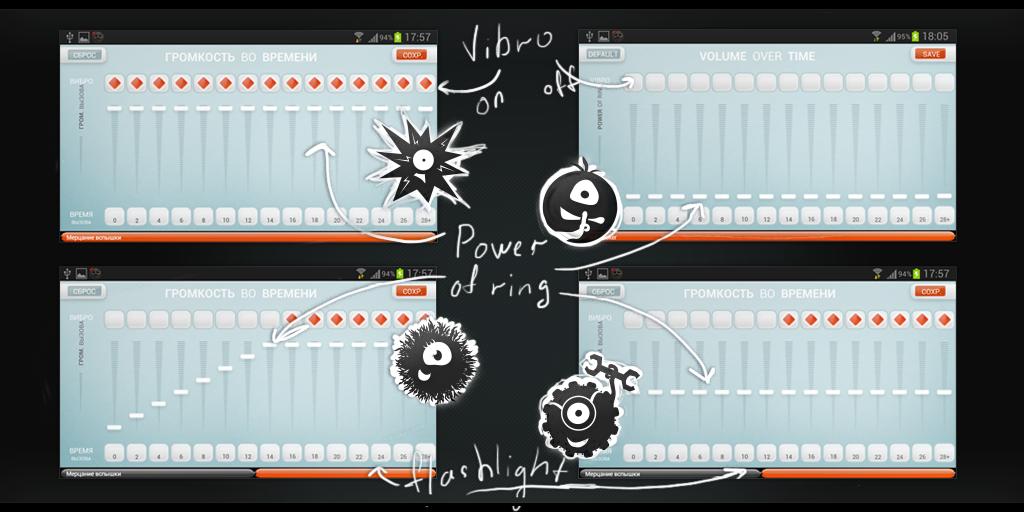
- Increase or decrease the volume during a phone calls;
- Combining different ways of notification;
- Quick access to settings from the widget on home screen;
- Opportunity to automatic return to the previously selected sound mode after a set time;
- Call control based on the accelerometer (winter mode);
- Option priority settings of contact;
- Wi-Fi mode for automatic change sound profile;
- Design widget can be added in 2 sizes; also you can choose background and adjust the position of icons.
The program includes three sound profiles and 8 customizable modes for these profiles:
1. Auto - this mode is to alert the user to the call, refers to the microphone device and evaluates the noise pollution of the environment, and then selects one of the modes: hard or silent.
2. Hard - as "noisy" and visible (blinking flash) mode for the user to be able to hear the phone call in a loud environment.
3. Soft - this mode is in the process of notification of the call increases the ringer volume.
4. Manual / manual - alone mode exhibited by the user.
5. Silent - mode indicator lights (blinking flash and the screen) without sound and vibration call.
6. Winter mode - option in all other modes, to answer a phone call shaking, jogged or chat phone (shake). Particularly handy in the winter, when the touch screen phones do not perceive the touch of a gloved hand.
7. Contact mode - a mode that allows the user to individually adjust the selected contacts call mode. Contact mode can be enabled with any other sound mode and then it is the priority and importance. For example the contact FAVOURITE I put manual mode to even regardless of current affairs could see and hear the call from the contact.
8. Wi-Fi mode will change modes when you connect or disconnect the phone to the access points Wi-Fi Sound profiles:
1. Basic - this is the current sound mode is selected and adjusted (if necessary) by the user, in which can be hard, soft, manual or silent mode.
2. Temporary - a profile that includes the user-selected mode is on or before the specified time. After this time the temporary regime is replaced by a regime that has worked before. Also can be selected hard, soft, manual or silent mode. For example, going to a meeting, which will last 1:00h, temporarily turn on the soft mode.
3. Regular profile activates the sound mode is selected in the specified period of time and at the right day. For example, I do not want to be disturbed at night from 00:00 to 8:00, so Talking Ring regularly for me at this time, each day includes a silent mode.
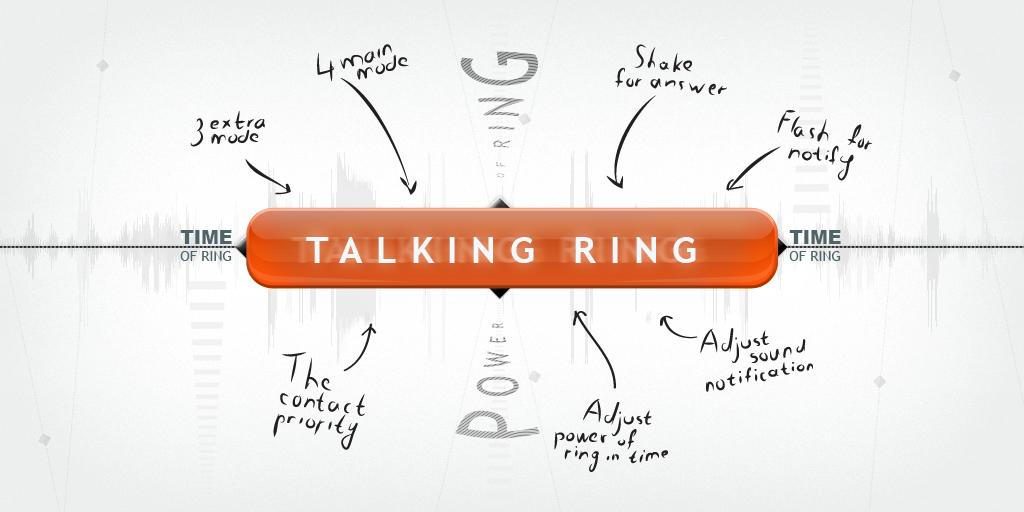
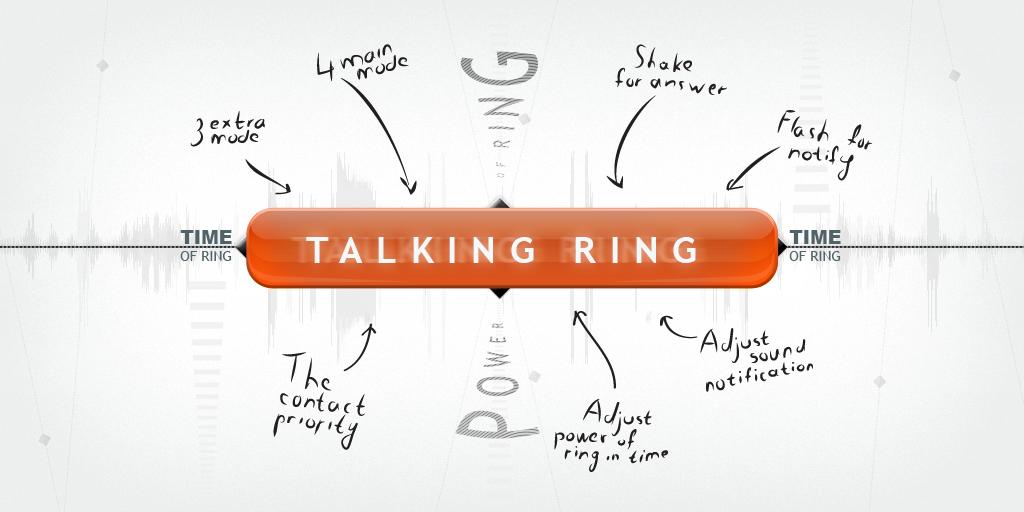
8 sound modes:
Adjusting the call volume over time
Priority contacts
Shake to answer
Flash for Alerts
Set sound alerts
Get free Primogems, Mora, Experience, and more with these November 2024 Genshin Impact codes, 5.1 livestream codes, and find out how to redeem active codes.
If you are bored with playing the vanilla version of Metaphor ReFantazio, you can check out these five mods.
Struggling with your submissions for Roblox's The Haunt event in 2024? Check out our guide on using Dress to Impress to create your captures!
Our walkthrough for Dragon Age: The Veilguard with some handy tips and tricks, with guides for puzzles, bosses, companions, equipment, romance, and more!
Which faction should you pick in Dragon Age: The Veilguard?
Looking for some bonus resources in Sea of Conquest: Pirate War? We’ve got you covered with these codes for the latest seafaring freebies.
On our website, you can easily download the latest version of Talking Ring! No registration and SMS required!